Live chat
Your team answers live.
0 €for life
No payment card, no commitment.
Unlimited conversations
- Your team answers live
- 1 website, a chat window in your colours
- Shared inbox
- No automatic replies by the AI
- A “by Cantya” mention on the bubble
Call, Live chat, WhatsApp or Messenger: Cantya summarises each exchange, notes what was decided and files it in the customer’s history. Your team picks up without asking twice.
5.0/5 · Google rating















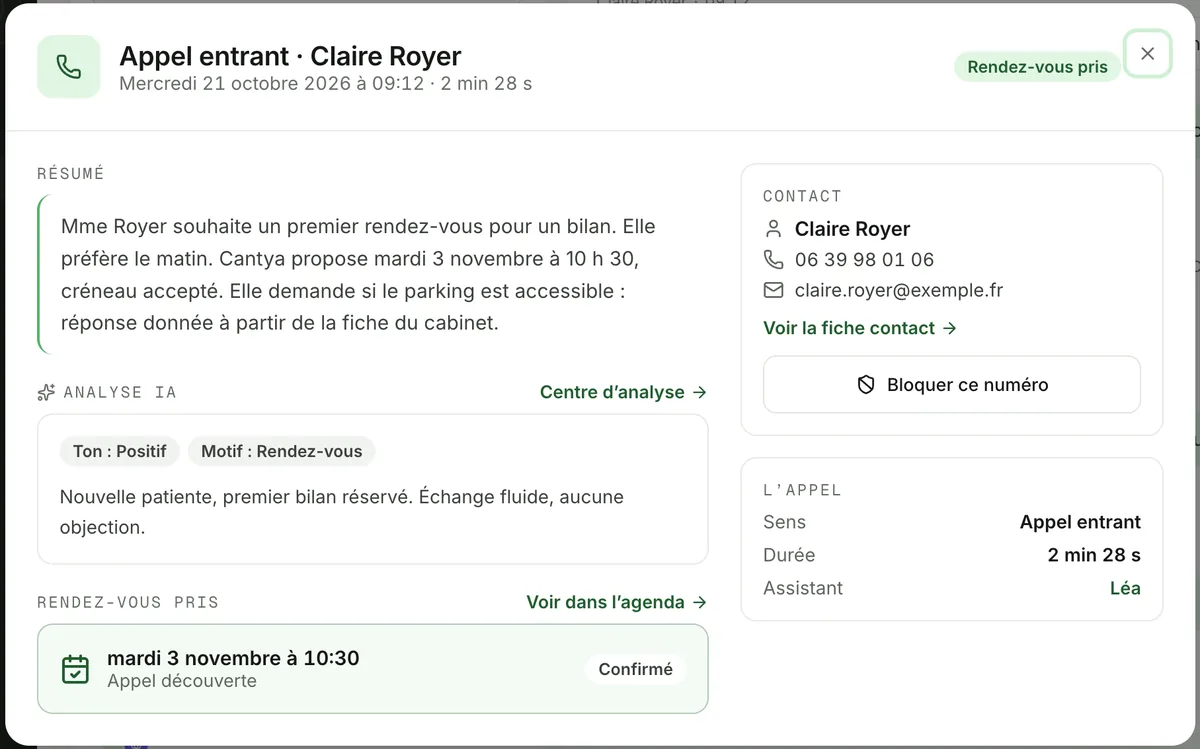
The summary
As soon as the call ends, Cantya writes a summary and gathers what matters for what comes next.
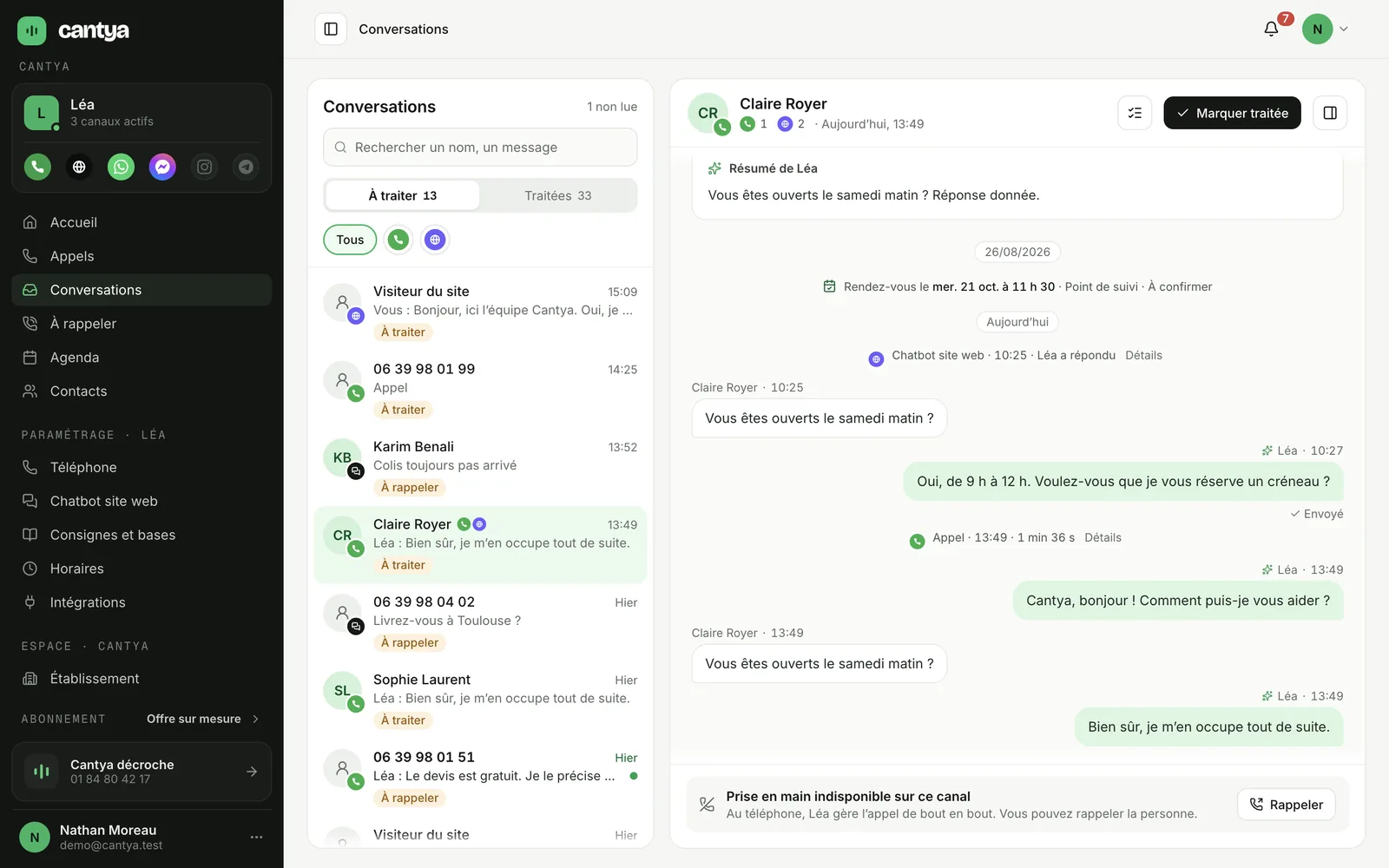
The history
Calls, the Live chat and messaging apps land in the same « Conversations » inbox.
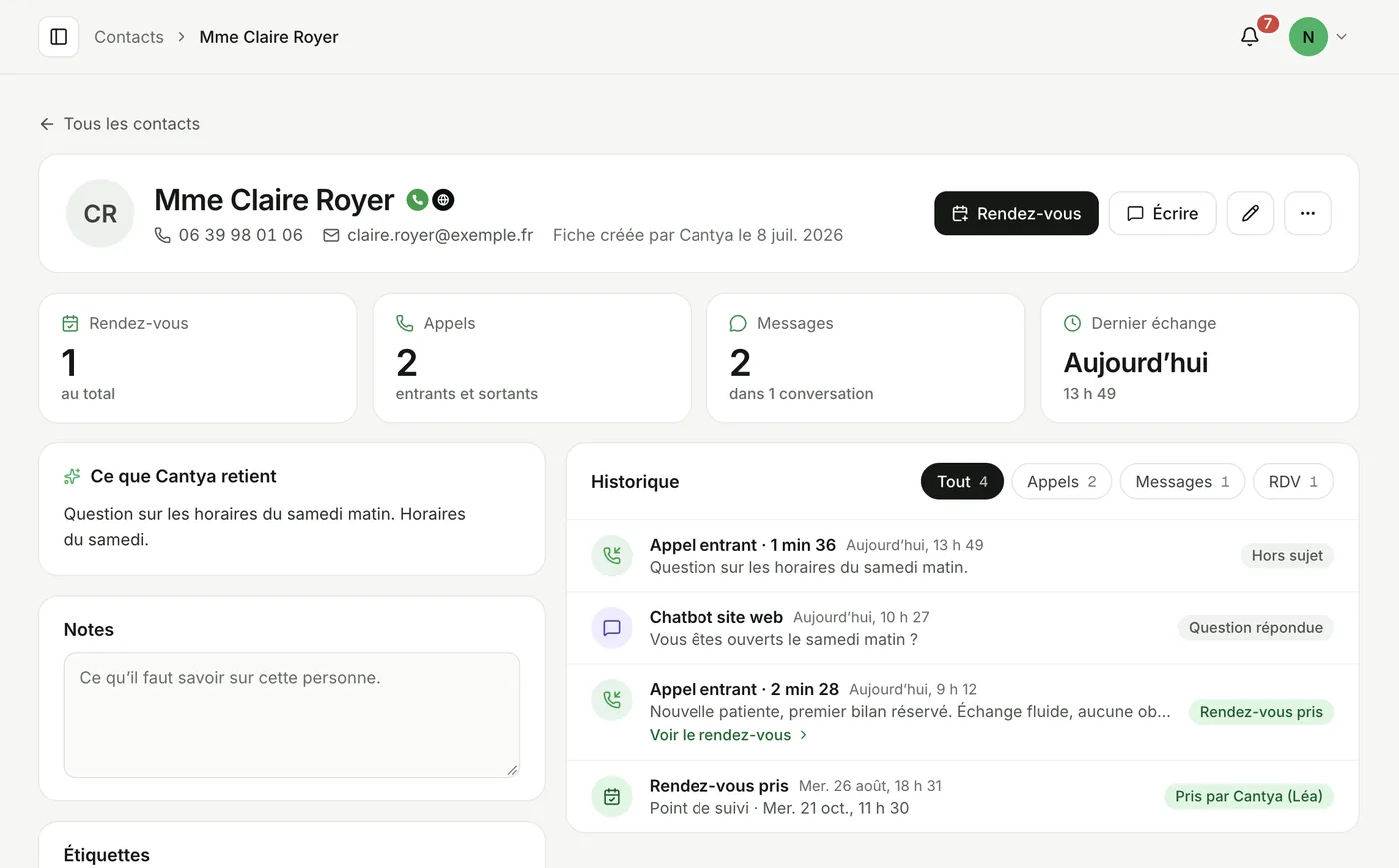
The contact record
Each contact has a record: their exchanges, their appointments and what to know before calling back.
In your tools
The summary is sent to your tools as soon as the exchange ends. Nothing to retype.
Example with fictional data.
The benefits
They use it every day
« J’ai mis Cantya en place pour gérer le SAV de ma boutique et franchement, ça m’enlève une bonne charge. Je m’y retrouve beaucoup mieux dans les demandes clients et je passe moins de temps dessus. » « On utilise Cantya pour prendre le relais sur nos appels quand on est déjà en intervention ou qu’on ne peut pas décrocher. C’est vraiment pratique, on évite de perdre des appels et nos clients ont toujours une réponse. Ça nous soulage beaucoup au quotidien. » « Nous utilisons ce service pour la relance de nos impayés et nous en somme très satisfaits. Un vrai gain de temps au quotidien, avec des retours positifs et une gestion beaucoup plus efficace. » « Je suis ravie de l’usage Canthya qui me permet de proposer un service conseil adapté à nos client architectes. Je conseille l’outil !! » « Très bonne expérience avec Cantya ! Service pratique, efficace et simple à utiliser. L’équipe est professionnelle, réactive et à l’écoute. Je recommande sans hésiter ! » Pricing
Live chat is free for life: your team answers. With the AI chatbot, Cantya answers for you 24/7, and you add the AI voice agent or AI WhatsApp whenever you like. No commitment.
Your team answers live.
0 €for life
No payment card, no commitment.
Unlimited conversations
To get started gently.
2 months free
74 €excl. VAT / mo
888 € excl. VAT billed once a year
1,250 credits is about:
Everything in Free, plus:
Optional
The AI answers for you, and you can take over whenever you like.
For a busy business.
2 months free
165 €excl. VAT / mo
1 980 € excl. VAT billed once a year
3,200 credits is about:
Everything in Essentiel, plus:
Optional
The AI answers for you, and you can take over whenever you like.
For a high volume of conversations.
2 months free
374 €excl. VAT / mo
4 488 € excl. VAT billed once a year
8,100 credits is about:
Everything in Pro, plus:
Optional
The AI answers for you, and you can take over whenever you like.
Credits are shared according to your use, between calls and written messages. Never cut off: the AI voice agent always picks up, and the AI chatbot switches back to Live chat once the credits are used up.
Frequently asked questions
A summary of the exchange, its outcome (appointment booked, callback requested, question answered), the contact, the duration, and the appointment if there is one.
In the « Conversations » inbox, where each customer has a thread, and on their contact record, with all their exchanges and appointments.
Yes. Live chat and messaging conversations join the same thread as calls.
Yes. Once your connectors are set up, the summary goes to Slack, Teams, Google Sheets, Notion or by email.
Yes. Each exchange stays « to handle » until your team marks it as handled.
Hear Cantya
Enter your number, Cantya calls you within a minute. Free, no sign-up.
Or book a demo with an expert